Share a LinkedIn Post From Another Account
Reshare a LinkedIn post from your other connected LinkedIn accounts, with your own short text on top, right after it publishes.
Updated Sep 28, 2026
When you publish a LinkedIn post, Nolorem can also reshare it from your other connected LinkedIn accounts, each with a short line of your own text on top of the original post. This is a Premium feature.
Who Has It
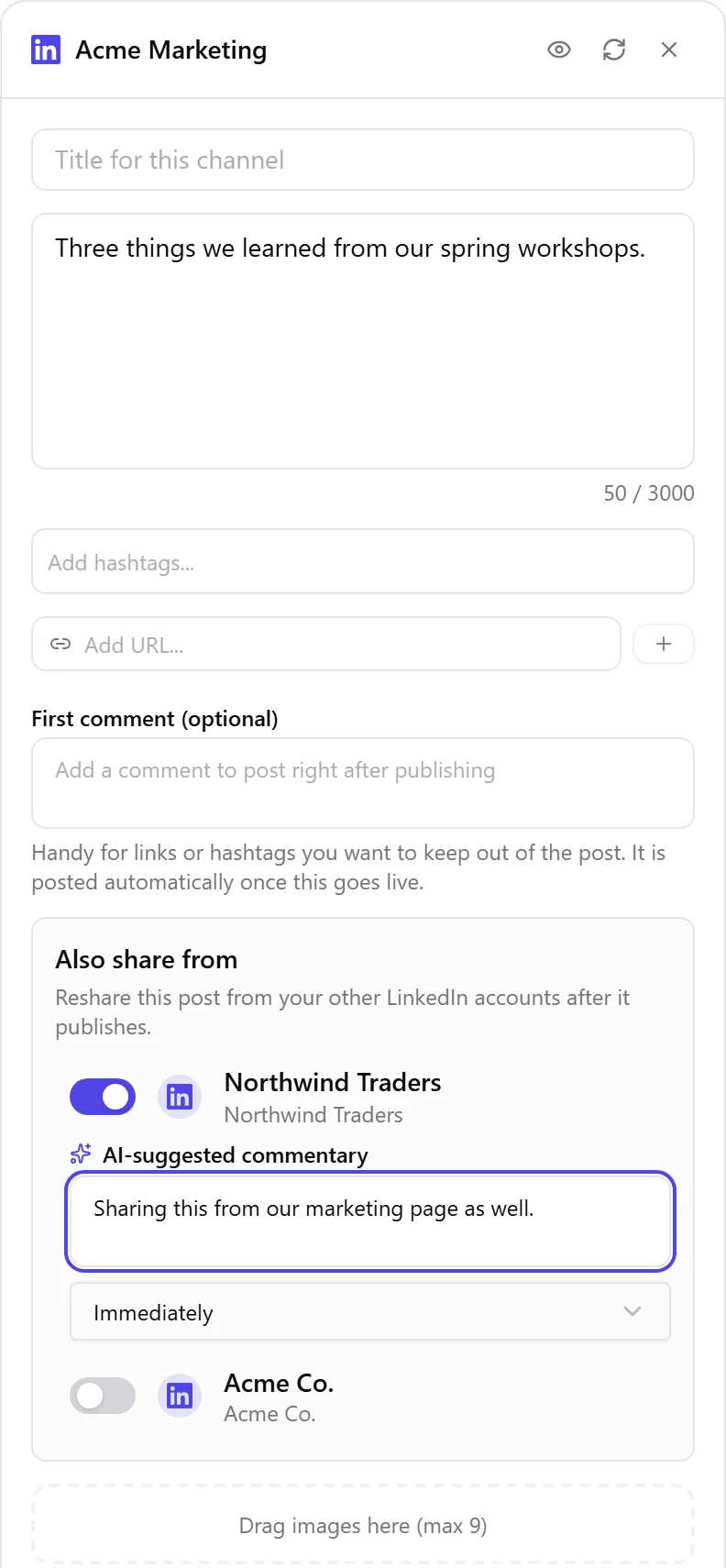
Also share from appears on a LinkedIn or LinkedIn Page card in the composer when three things are true: your organization is on Premium, the card you are writing is LinkedIn or a LinkedIn Page, and you have at least one other LinkedIn or LinkedIn Page account connected. With only one LinkedIn account connected, there is nothing to reshare from, so the section does not appear.
Setting Up a Reshare
- Open the composer and select a LinkedIn or LinkedIn Page channel.
- Write your post. The Also share from section needs your post text first: until you write something, its toggles stay off and a note asks you to write your post first.
- Under Also share from, turn on any other connected LinkedIn account you also want this post reshared from.
- Nolorem writes an AI-suggested commentary, the short text that appears above the original post on that account. Read it over and edit it, or clear it and write your own; an empty commentary is fine too.
- Leave Reshare delay on Immediately.
- Publish or schedule the post as usual.
When the Reshare Goes Out
The reshare only fires once the original post is actually live on LinkedIn. If the original post has not published yet, or fails to publish, nothing goes out on the accounts you toggled on either.
Related articles
Was this article helpful?
Still need help?
Can't find what you're looking for? Open your support portal for live chat and tickets. Sign in with your Nolorem account.
Open support portal