Why My Document Says "Infected, in Quarantine"
Every uploaded document is scanned for viruses. If the scanner finds a threat, the file is kept for 30 days where nobody and nothing can read or download it, and then it is removed. Here is what you see, what you can do, and what never happens.
Updated Oct 18, 2026
Every document you upload to Nolorem is checked by a virus scanner before anything else happens to it. Most documents pass, and you never notice. This article is for the day one does not.
What You See
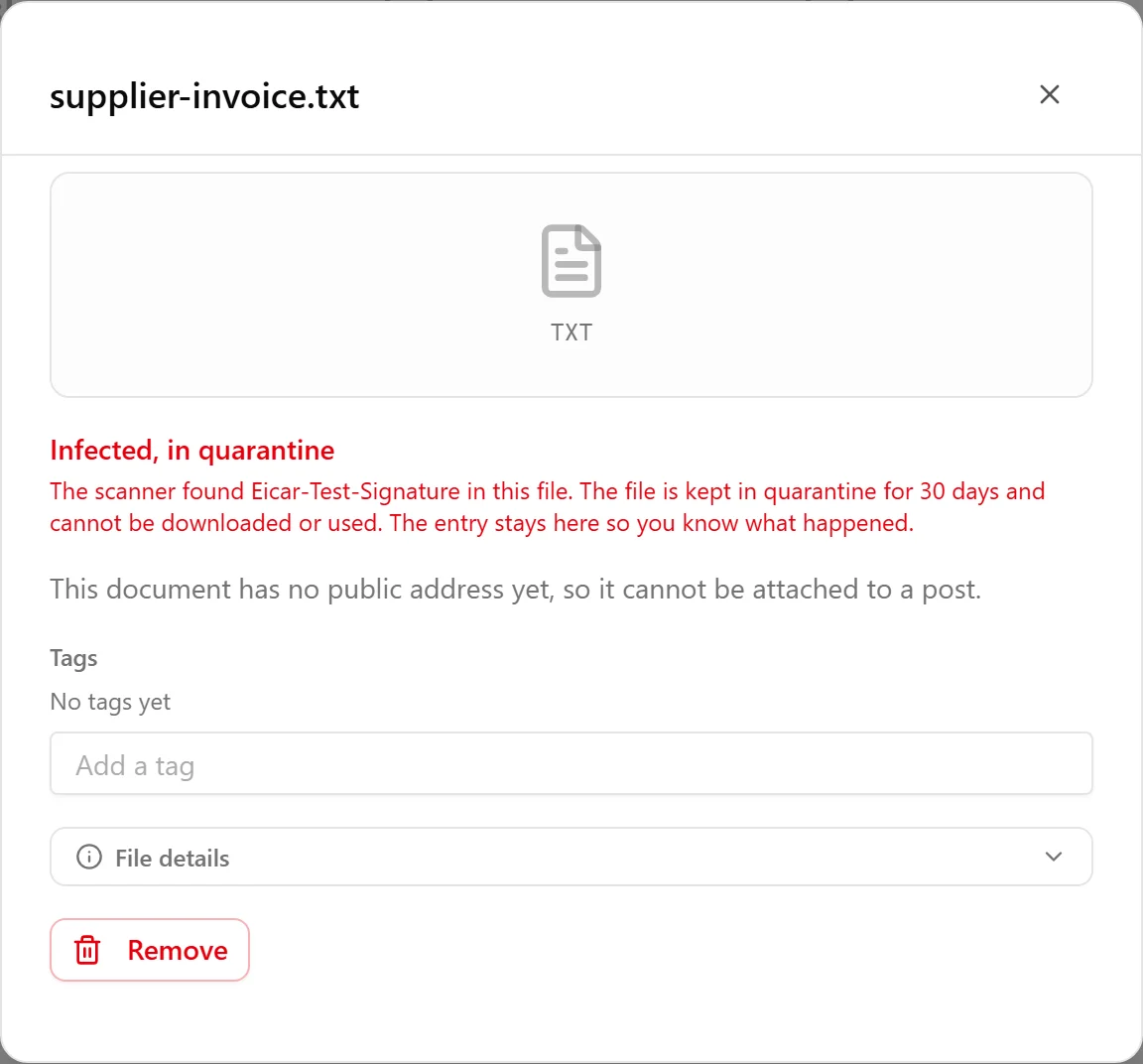
In the Media Library, filter on Documents. A document the scanner flagged shows Infected, in quarantine instead of a reading status. Open it and the detail explains what happened: the scanner found a threat in the file (and names it when the scanner reported a name), the file is kept in quarantine for 30 days, and it cannot be downloaded or used. There is no download button on it.
The entry stays in your library on purpose, so you can see what happened instead of finding a document silently gone.
What Happens to the File
It is kept for 30 days, locked away. Nolorem does not delete a file the moment it is flagged, because a scanner can be wrong. For 30 days, counted from the first time it was flagged, the file is stored but unreachable: nobody in your organisation can open or download it, and nothing in Nolorem reads it.
After 30 days it is removed. A nightly job deletes the stored file. The entry in your library stays and keeps saying what happened, and you can delete the entry like any other document.
Flagging it again does not restart the 30 days. The clock starts at the first verdict only.
What Never Happens
- Nothing is given to the AI. A quarantined document is not read for text, so it never reaches the writer, the assistant, the suggestions on the Create page, or a campaign. It cannot be picked as material for a post.
- It is never attached to a post or offered to your readers.
- Nothing is deleted without warning. The 30 days exist so a mistake can be put right.
A document that is still being checked is not in quarantine. It stays usable exactly as before until the scanner has spoken.
If the scanner could not be reached when you uploaded a document, so that it stays on being checked, Nolorem tries again by itself a limited number of times. You do not need to upload the file again for that.
What You Can Do
- Check the file on your own computer. Run your own antivirus on the original. If it really is infected, clean or replace the file at its source.
- Upload a clean copy. Add the corrected file as a new document through Add media. It is scanned like any other upload.
- Delete the entry if you no longer need it. Like any document, it goes to the Trash first (see Trash and Recovery).
If you are sure it is a false alarm, contact support within the 30 days and name the document. Support can have the stored file scanned again by the same scanner. Only a clean result lifts the quarantine, and then the document is read and becomes usable again. Nobody can lift it by hand without the scan agreeing, because the scan is the whole point.
Related
How documents are added, read and stored is in The Document Library.
Related articles
Was this article helpful?
Still need help?
Can't find what you're looking for? Open your support portal for live chat and tickets. Sign in with your Nolorem account.
Open support portal