Managing Your Integrations
Connect and manage WordPress sites, social channels, and other external services from the unified settings page.
Updated Sep 19, 2026
Nolorem integrates with external platforms for publishing and social media management. All integrations are managed from the Settings page.
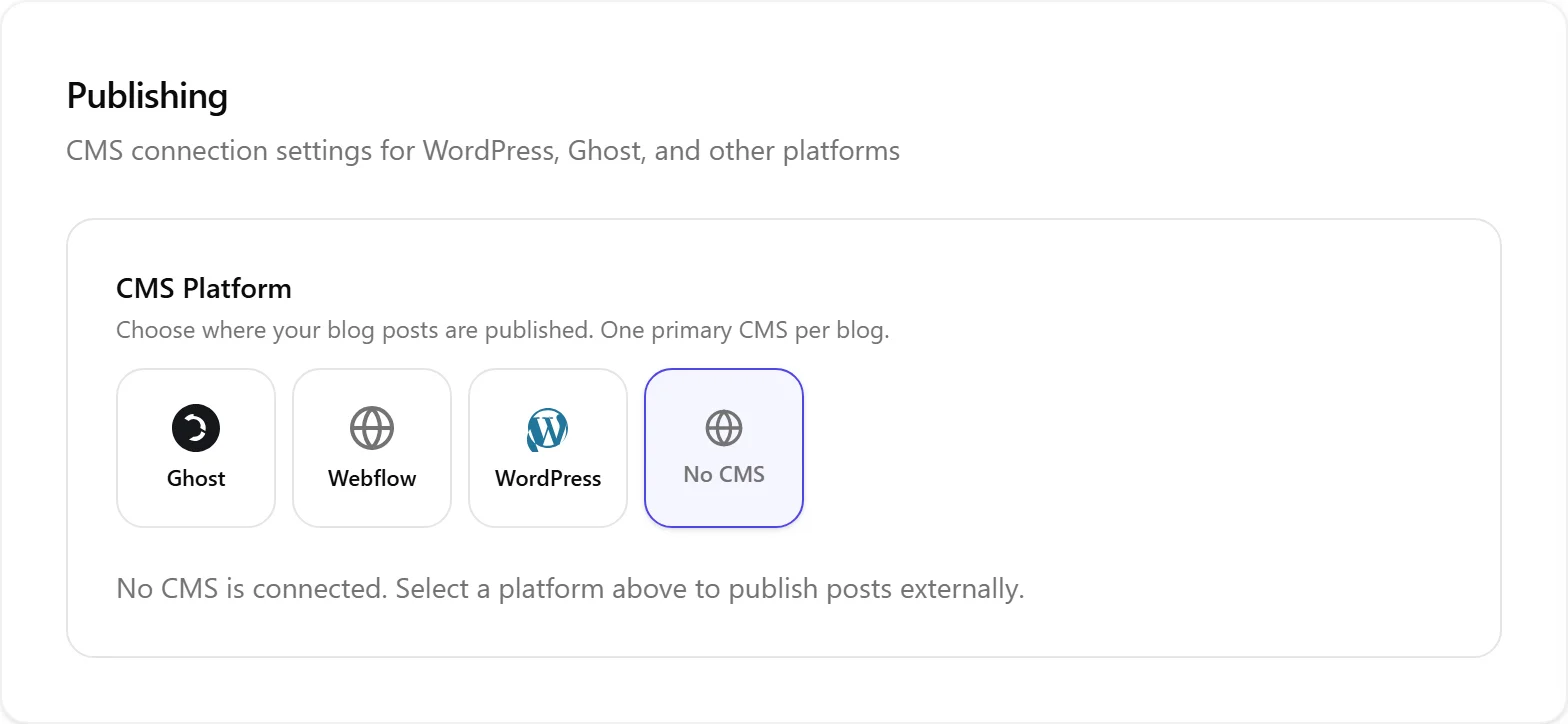
WordPress Connection
To publish blog posts, connect your WordPress site:
- In Settings, scroll to the Publishing section
- Enter your WordPress site URL
- Generate an application password in your WordPress admin (Users then Profile then Application Passwords)
- Paste the credentials into Nolorem and click Connect
Nolorem installs a bridge plugin on your WordPress site that handles webhook notifications for two-way status sync. The plugin is lightweight and does not affect your site's performance.
As soon as you save your credentials, Nolorem generates a webhook secret unique to this blog and registers it with the plugin automatically; no separate setup step is needed. Because a WordPress site can only have one blog's secret registered at a time, connecting a second blog in your account to the same WordPress site is refused. If that happens, a status line under the Publishing section explains why (for example, that the site already has an active connection, that the plugin needs an update, or that Nolorem could not reach your site) so you know what to fix before saving your connection again.
Ghost Connection
Ghost integration follows a similar pattern:
- In Settings, scroll to the Publishing section
- Enter your Ghost site URL and API key (found in Ghost Admin under Integrations)
- Click Connect
Ghost supports publishing and basic status sync.
Social Channels
Social channel connections use OAuth:
- In Settings, scroll to the Social Channels section
- Click Connect next to the platform you want
- Authorize Nolorem in the new browser tab that opens
- Select which accounts or pages to manage
You can connect multiple accounts per platform. Each connected account appears as a separate channel when composing social posts.
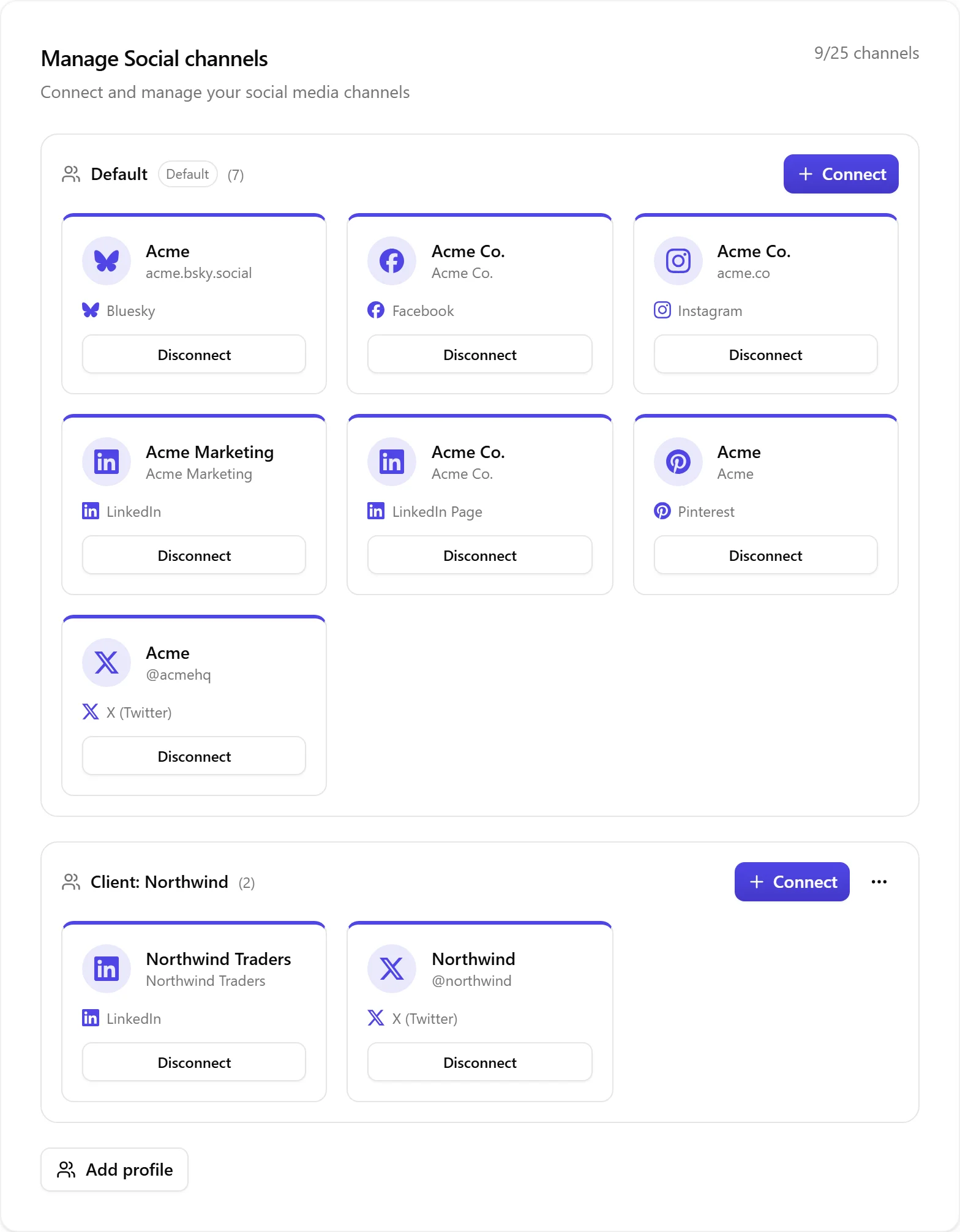
Managing Connections
From the Settings page, you can:
- Disconnect a channel or CMS site to revoke access
- Reconnect an expired OAuth token with one click
- View connection status (green checkmark for active, warning icon for issues)
Channel Limits
Your plan tier determines the maximum number of social channels you can connect. The current limit is shown in the Social Channels section. Upgrade your plan to connect more channels.
Finding Your Way Around Settings
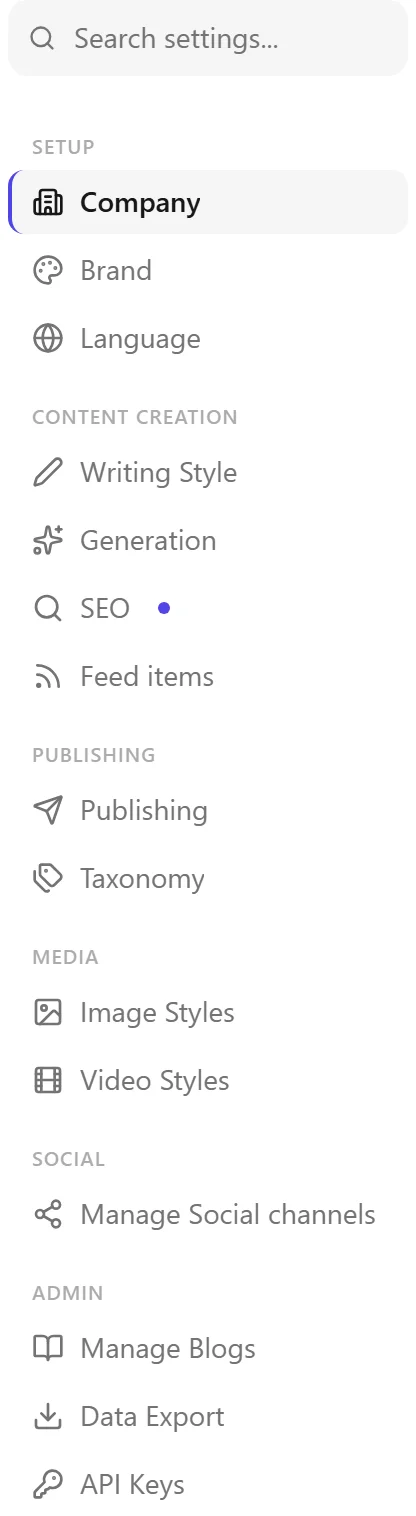
The settings page uses a single-scroll layout with a sticky navigation sidebar. Use the search box at the top of the navigation to jump directly to any section. The URL updates as you scroll, so you can bookmark or share deep links to specific sections.
Related articles
Frequently asked questions
Was this article helpful?
Still need help?
Can't find what you're looking for? Open your support portal for live chat and tickets. Sign in with your Nolorem account.
Open support portal