Blogbeiträge für Social Media wiederverwenden
Verwandle einen veröffentlichten Blogbeitrag mit KI und deinem Voice DNA-Profil in plattformspezifische Social-Media-Inhalte.
Aktualisiert am Jun 15, 2026
Beim Wiederverwenden wird ein bestehender Blogbeitrag mit wenigen Klicks in Social-Media-Inhalte umgewandelt. Die KI liest deine Blog-Inhalte, passt sie an den Stil und die Länge jeder Plattform an und wendet dein Voice DNA-Profil an, damit das Ergebnis nach dir klingt.
Zwei Wege zum Start
- Aus dem Social-Composer: Geh zu Social, dann Verfassen und wähle den Tab Blogbeitrag wiederverwenden.
- Aus einem Blogbeitrag: Zeige in der Beitragsliste auf die Zeile des Beitrags und wähle das Symbol Für Social wiederverwenden. Auf einem Touchscreen werden die Aktionen der Zeile immer angezeigt. Dadurch öffnet sich der Composer mit dem bereits ausgewählten Beitrag.
Der Ablauf
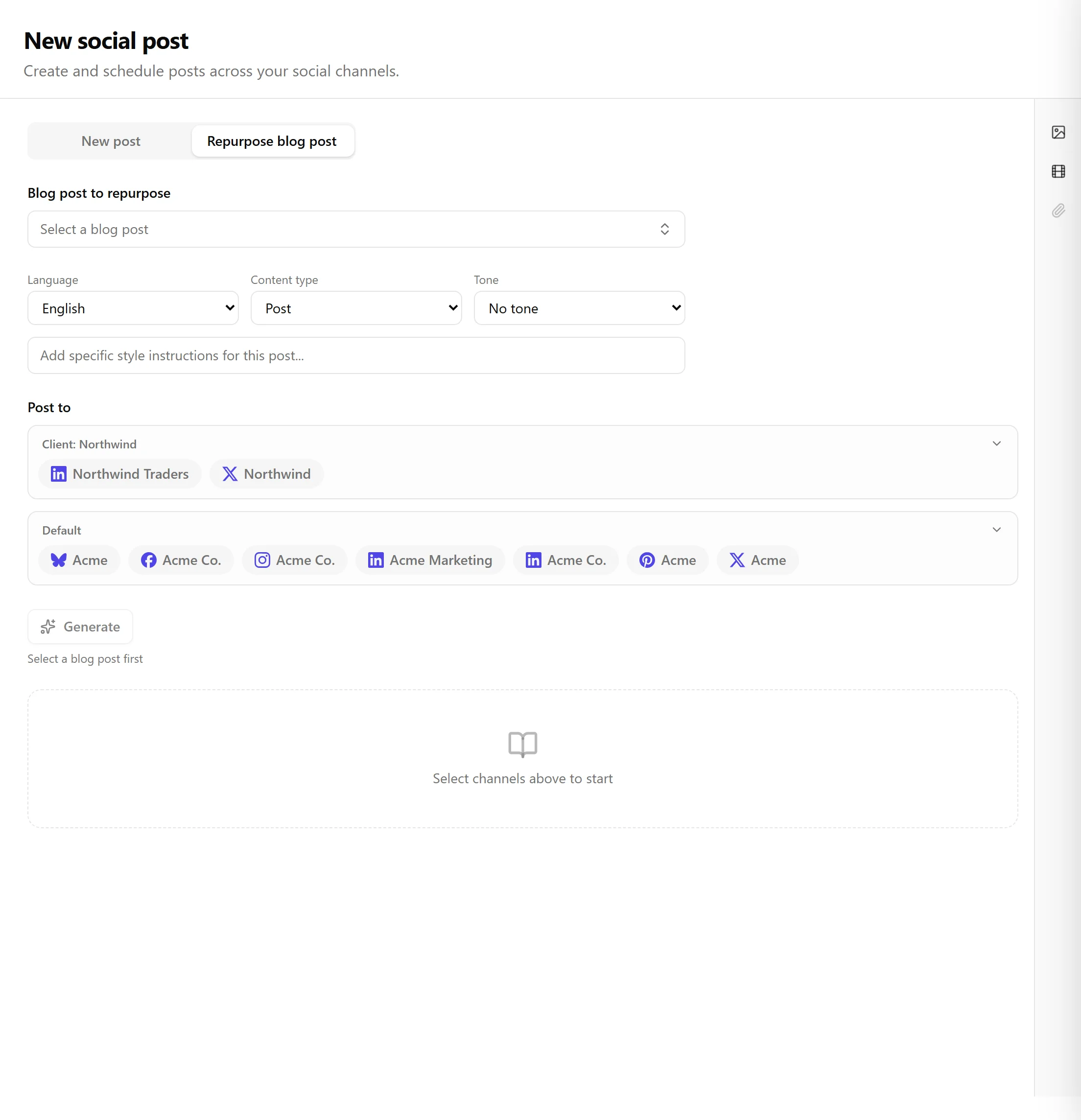
Der Tab Wiederverwenden ist eine einzige, fortlaufende Seite:
- Wähle einen Blogbeitrag. Eine durchsuchbare Auswahlbox listet deine Beiträge, den neuesten zuerst, jeweils mit Titel, Datum, Sprache und Status. Nur veröffentlichte Beiträge können wiederverwendet werden.
- Wähle ein Voice DNA-Profil (optional). Die KI übernimmt den Ton, das Vokabular und den Stil dieses Profils.
- Wähle Kanäle über die Kanal-Chips aus. Jeder Kanal erhält seine eigene plattformspezifische Karte.
- Lege Ton und Stil fest (optional), mit einer optionalen Anweisung zur Stilüberschreibung.
- Wähle einen Inhaltstyp: Beitrag, Insight, Hot Take, Frage, Story, Curated News oder Educational.
- Wähle die Ausgabesprache, falls sie sich vom Ausgangsbeitrag unterscheidet.
- Klicke auf Generieren. Die KI erstellt für jeden ausgewählten Kanal maßgeschneiderte Inhalte als bearbeitbare Karten.
- Prüfen und bearbeite Text, Hashtags und Zeitplan jeder Karte.
- Plane einzelne Karten oder verwende Alle Beiträge planen, um alles auf einmal im Stapel zu planen.
Was Voice DNA leistet
Wenn du ein Stimmprofil auswählst, übernimmt die KI dessen Ton und Stil, verwendet Vokabular und Formulierungen, die aus deinen Schreibproben gelernt wurden, und wendet deine benutzerdefinierten Toneinstellungen an. Ohne Profil verwendet sie sinnvolle Standardeinstellungen basierend auf dem von dir gewählten Ton.
Verwandte Artikel
War dieser Artikel hilfreich?
Brauchst du noch Hilfe?
Findest du nicht, wonach du suchst? Öffne dein Support-Portal für Live-Chat und Tickets. Melde dich mit deinem Nolorem-Konto an.
Support-Portal öffnen