Using the Unified Calendar
See every scheduled blog post and social update in one calendar view, filter by source, and reschedule with drag and drop.
Updated Jun 16, 2026
The unified calendar is one of the best reasons to run your blog and social publishing from the same platform. Instead of juggling WordPress drafts, scheduled tweets, and a spreadsheet, everything lives in one place.
Where to Find It
Click Calendar in the sidebar. It is available to every subscriber with an active Blog, Social, or Bundle plan.
What Shows Up
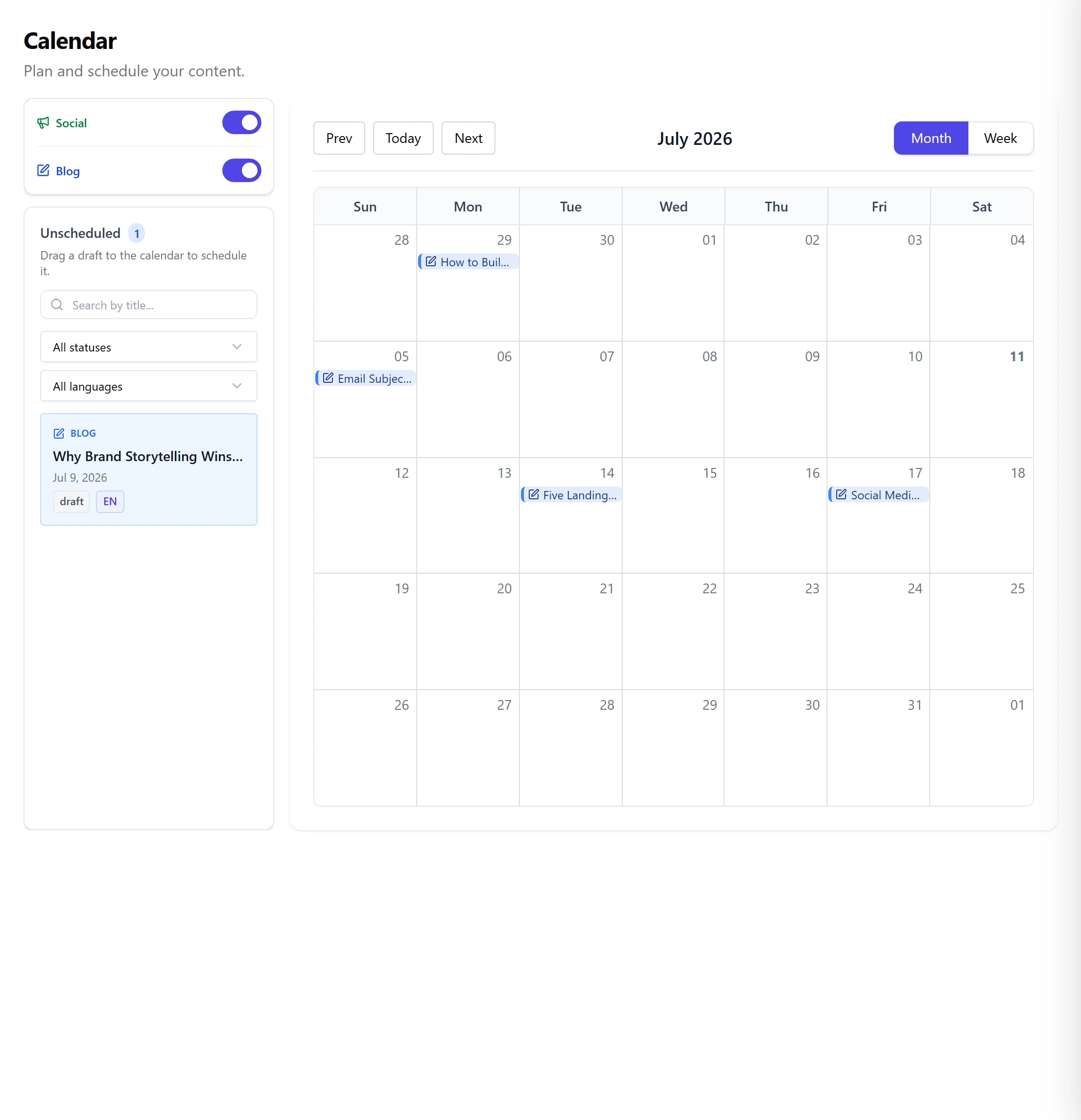
The calendar displays:
- Blog posts scheduled to publish (both drafts with publish dates and queued items)
- Social posts scheduled across every connected channel
- Recurring series you have configured
- Items pulled from your Content Advisor queue
Filtering
Use the filter row at the top to narrow the view by:
- Source: Blog only, Social only, or both
- Channel: a specific social platform
- Blog: a specific WordPress site if you run multiple blogs
- Status: draft, scheduled, published, or failed
A Failed Item Says Why
An item with the failed status carries the reason it failed, not just the status. Open the item on the calendar and the popup names what went wrong, in your own language: a channel that lost its connection, a missing image on a platform that requires one, or a board that was never chosen.
The same reason appears in the Social Posts list, so it does not matter where you spot the failure first.
Creating a Post on a Specific Day
You can start a new post directly from the day you want it to go out:
- Right-click a day (or, on a phone or tablet, tap the + that appears in the corner of each day).
- Choose New blog post or New social post.
The new post opens in the editor already scheduled for the day you picked, so it shows up on the calendar straight away. This works whether you write the post yourself or generate it with AI.
Rescheduling
Click and drag any item to a new day. The platform updates the scheduled publish time and re-syncs with the downstream platform (WordPress or Ghost for blogs, your connected channels for social).
Views
Switch between month, week, and list view from the top right. List view is useful when you want to see a chronological feed of upcoming work.
Related articles
Frequently asked questions
Was this article helpful?
Still need help?
Can't find what you're looking for? Open your support portal for live chat and tickets. Sign in with your Nolorem account.
Open support portal