Publishing to Ghost
Connect your Ghost site, push posts using the Admin API, sync status, and troubleshoot connection or publishing failures.
Updated Sep 21, 2026
Nolorem publishes blog posts directly to your Ghost site using the Ghost Admin API. No plugin is required, because Ghost has a native API that handles authentication, publishing, and media uploads.
Connect Your Ghost Site
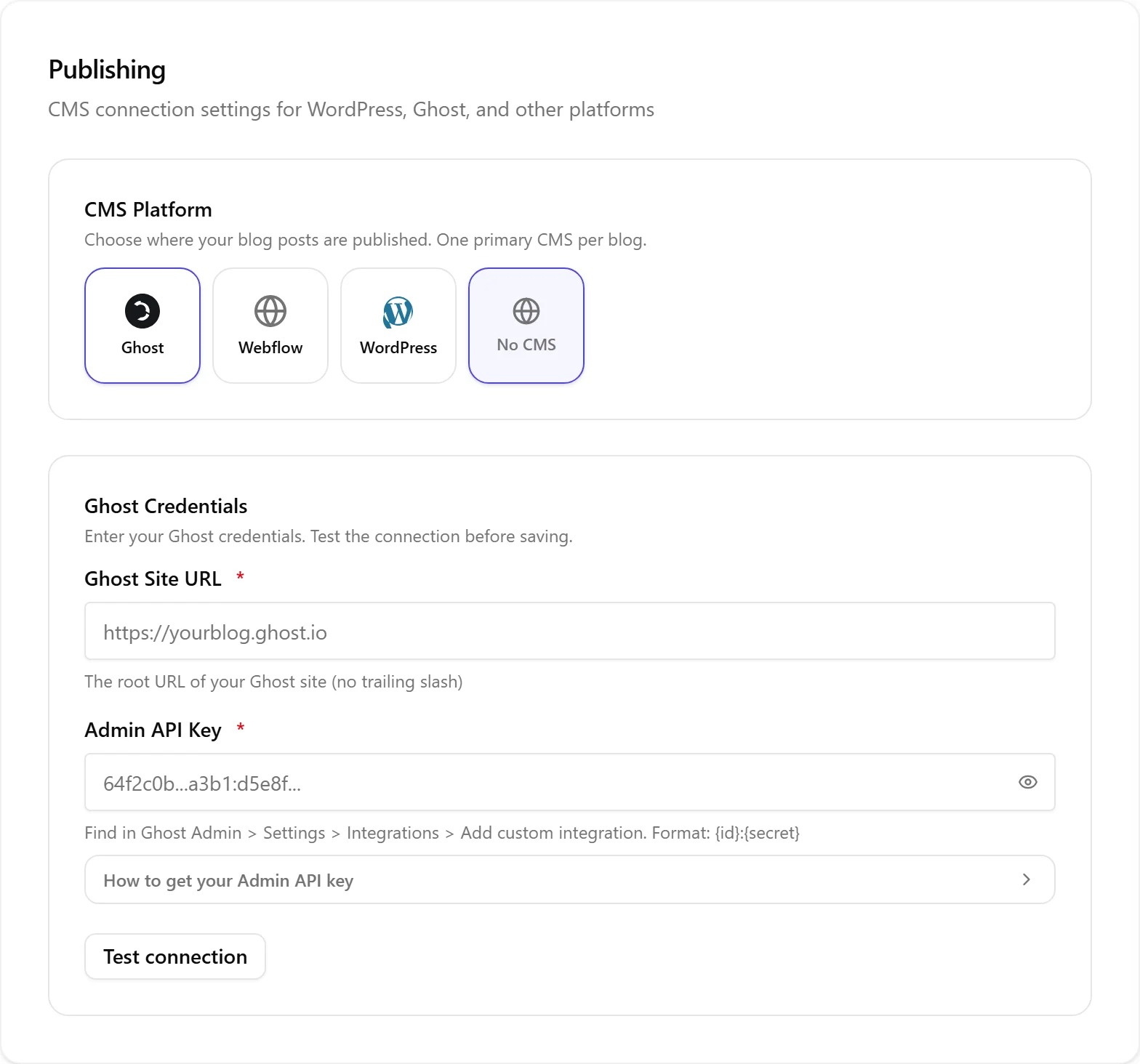
- Go to Settings then Publishing.
- Select Ghost as your CMS platform.
- Enter your Ghost Site URL (for example
https://yourblog.ghost.io). Do not include a trailing slash or any path such as/ghost/. - Enter your Admin API Key. Find it in your Ghost Admin panel under Settings then Integrations then Add custom integration. The key format is
{id}:{secret}. - Click Test connection to verify.
Use the Admin API Key, not the Content API Key. The Content API Key is read-only and cannot publish posts.
Push a Post
- Open a blog post in the editor.
- Click Push to CMS in the post actions.
- Nolorem formats the content as a Lexical HTML card (Ghost's native format), uploads images, and creates the post via the Ghost Admin API.
- On success, a link to the live Ghost post appears in the editor.
Nolorem wraps your content in Ghost's Lexical HTML card format, so headings, blockquotes, images, links, and styling all render correctly without conversion issues.
Update an Existing Post
If you edit a post that was already pushed, clicking Push to CMS updates the existing Ghost post. Ghost uses optimistic concurrency control, so Nolorem always reads the current post state before updating.
Status Sync
Ghost supports three statuses: draft, published, and scheduled.
- Setting the status to Publish creates or updates the post as published.
- Setting a future date creates a scheduled post.
- Unpublishing in Nolorem sets the Ghost post back to draft.
Ghost webhooks notify Nolorem when posts change status on the Ghost side. Nolorem registers this webhook with your Ghost site automatically, together with a secret unique to this blog, as soon as you connect or save your credentials; you do not need to set anything up in Ghost yourself. SEO fields (meta title, meta description, OG title, OG description) are sent directly as native Ghost properties, so no SEO plugin is needed.
Index Your Site
Nolorem does not import your existing Ghost posts. Instead, Settings then Publishing has a Site index card that reads the pages already live on your Ghost site so new articles Nolorem writes can link to them, at no cost to your blog allowance. See The Site Index for what it shows and how to use it.
Connection Is Failing
If Test connection fails:
- Check the site URL. Use the root URL only, with no
/ghost/path and no trailing slash. - Confirm you used the Admin API Key, not the read-only Content API Key. The Admin key is the longer value containing a colon separator (
{id}:{secret}). - Make sure you run Ghost v5.0 or later. Older versions may use different API endpoints.
- If Ghost sits behind a reverse proxy or firewall, ensure the Admin API at
/ghost/api/admin/is reachable over HTTPS.
Publishing Is Failing
If a push fails, the editor shows the error returned by Ghost. Common causes:
- Site unreachable: verify the site is online and the URL is correct. Nolorem applies a 30 second timeout to Ghost calls.
- Invalid or deleted key: if you removed the custom integration in Ghost, create a new one and update the Admin API Key in Settings then Publishing.
- Concurrency conflict: if someone edited the post directly in Ghost, re-push it. Nolorem reads the latest state before each update.
- Image upload failed: Ghost enforces a file size limit. An HTTP 413 error means an image is too large. Use JPG, PNG, GIF, or WebP.
- Scheduling: the scheduled date must be in the future, otherwise Ghost publishes immediately.
Related articles
Was this article helpful?
Still need help?
Can't find what you're looking for? Open your support portal for live chat and tickets. Sign in with your Nolorem account.
Open support portal