Trash and Recovery
A deleted post, image or campaign goes to the Trash instead of being destroyed. It stays recoverable for 30 days, the whole workspace can see it, and it comes back as a draft. Deleting a published blog post also takes the article off your own website.
Aktualisiert am Sep 21, 2026
A deleted post is not gone. Deleting something in Nolorem no longer destroys it on the spot: it moves to the Trash, where it stays recoverable for 30 days, and only after that is it removed permanently. The same holds for a deleted image, a deleted campaign and everything else on the list below.
If you know the idea as a recycle bin from elsewhere, this is the same thing under a different name.
Where Your Deleted Item Went
Click Trash in the sidebar. There is one Trash for the whole workspace, not one per tool, so everything the organisation deleted sits on the same screen. That is deliberate: a colleague on holiday should never be the reason something cannot be recovered.
It holds blog posts, social posts, images, videos, audio, documents, campaigns and communication strategies. The filter row at the top counts each kind, so you can jump straight to the one you are looking for.
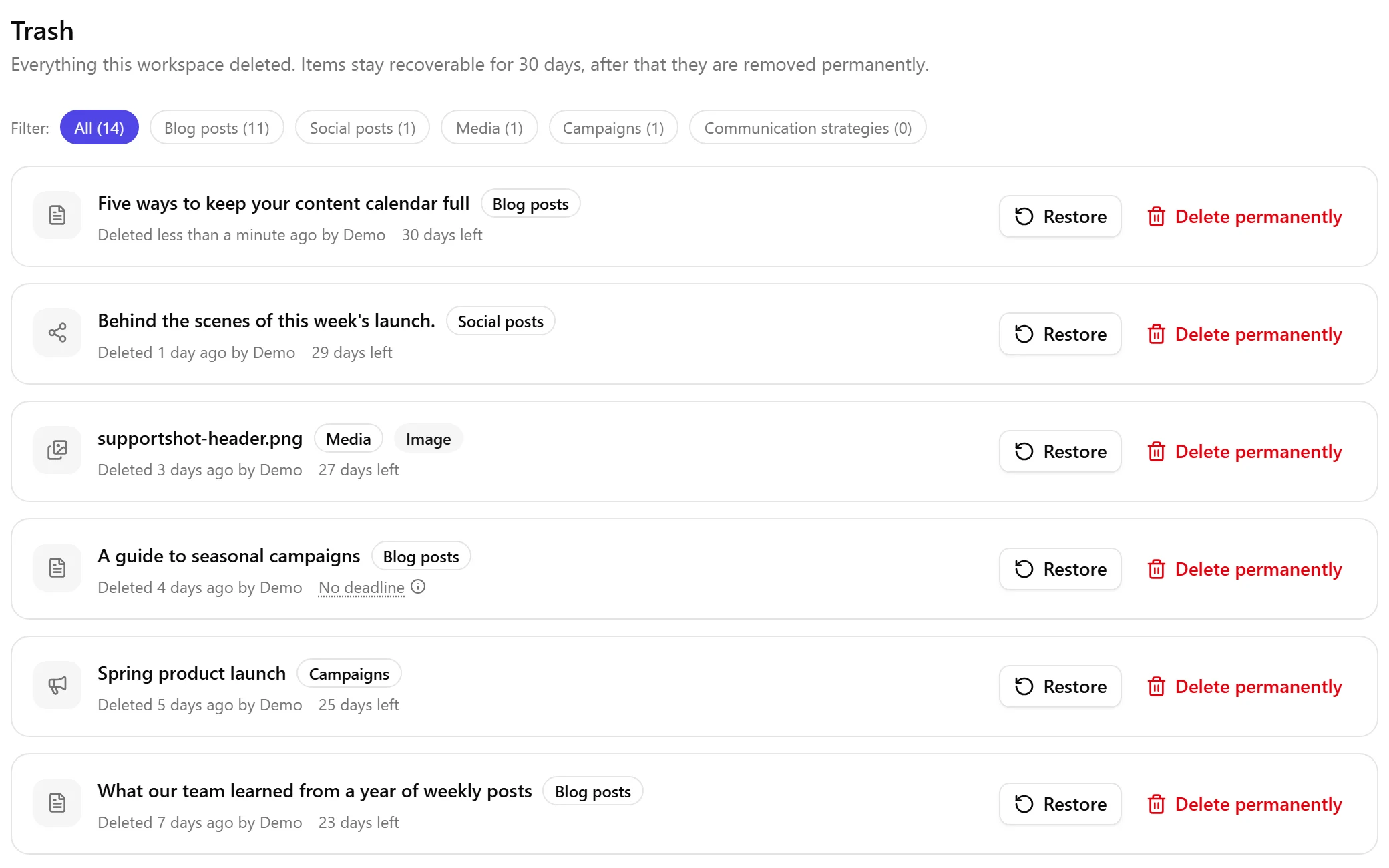
Each row names what the item was, when it went, who threw it away and how long it has left. Where nobody is named, Nolorem simply does not know: items that were already deleted before this screen existed carry no name, and inventing one would be worse than an empty space.
How Long You Have
Thirty days, counted from the moment you deleted the item, and shown on the row as the days remaining. Under three days left the countdown turns red, and on the final day it reads "Last day".
Items that were already deleted before the Trash existed were given a fresh 30 days on the day it shipped, rather than being counted from their original deletion. Nothing was destroyed by surprise.
Getting Something Back
Click Restore on the row. That is the whole action, and it is how you get back something you deleted by accident or undo a delete somebody else made.
It comes back as a draft. Never republished, never rescheduled, and never re-attached to a campaign item. This is on purpose: a schedule you set a month ago must not fire the moment you undo a delete, and putting something live again should be a decision you take, not a side effect. A restored social post loses its old send time along with any error it had recorded.
If its web address was taken while it sat in the Trash, the post comes back under a slightly different one, and the confirmation tells you which. A trashed post releases its address immediately, so another post can claim it in the meantime. Refusing to restore over that would strand you on a cosmetic problem, so Nolorem renames instead and says so.
Restoring an image, a video, an audio file or a document brings it back exactly as it was. Its file was held for the whole 30 days and never touched, which is what makes the recovery real rather than a promise.
What Deleting a Published Blog Post Does to Your Own Website
This is the one worth reading before you confirm.
Deleting a blog post that is published on your own site takes the article offline there. Nolorem sets it to draft on your website, so visitors stop seeing it straight away. The confirmation dialog says so before you click, and the bulk dialog counts how many of the selected posts this applies to.
Restoring it from the Trash does not put it back online. The post returns to Nolorem as a draft, and publishing it again is a separate step you take yourself.
If your website cannot be reached at that moment, the delete still happens in Nolorem and you are told that the article is probably still live on your site, with the reason your site gave. The message survives the browser tab, so you can act on it later rather than losing it when you navigate away.
Emptying the Trash Early
Delete permanently removes one item immediately, together with everything stored alongside it. This cannot be undone and there is no second trash, which is exactly what the confirmation says before the red button.
It overrides everything: once you click it, there is no version of the item left anywhere in Nolorem to bring back.
Who Can Do What
Everyone in the organisation sees the Trash and every row on it. Looking at what your workspace threw away is not a destructive act.
- Restore is open to anyone who is allowed to delete in the first place, so admins and editors.
- Delete permanently is limited to admins and editors as well, because it is the one action on the screen that nothing can undo.
- A contributor sees the screen and the rows, and no buttons. Nothing is hidden from them except the ability to act.
Verwandte Artikel
War dieser Artikel hilfreich?
Brauchst du noch Hilfe?
Findest du nicht, wonach du suchst? Öffne dein Support-Portal für Live-Chat und Tickets. Melde dich mit deinem Nolorem-Konto an.
Support-Portal öffnen